Editing captions
If you need to make a correction to the transcript, you can edit captions.
Interactively in Studio
If set up the right way, captions appear as orange layers in the Studio timeline.

You can select it and edit the transcript.
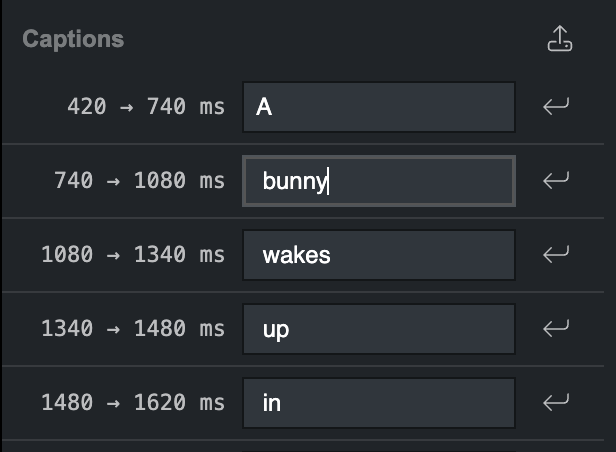
Add a page break
Click the icon on a caption row to start a new page with the next caption.
Split a caption
Place the cursor where the caption should split and press Enter.
Replace the transcript
Select the caption layer and click the icon next to Captions. The following formats are supported:
.srt.jsonwithCaption[]array- ElevenLabs transcript
- OpenAI Whisper verbose JSON transcript
Agentically
Since captions are stored in your codebase, it should be easy for your agent to find captions and edit them.
In the ForestScene composition, change 'rabbit' to 'bunny' in the captions.
Suggested prompt
Programmatically
Double-click a caption component to jump to it in the your code editor.
You can edit captions in the code and fetch them programmatically.